Introduction
One of the first questions new users ask before trying automated trading isn’t about profitability—it’s about security.
“If I connect a trading bot to my exchange, can it access my crypto?”
It’s a reasonable concern. After all, granting software access to your exchange account sounds risky if you don’t understand how API connections work.
Fortunately, modern crypto trading bots don’t require custody of your assets. Instead, they connect through API keys—secure credentials generated directly inside your exchange account. When configured correctly, an API connection allows a bot to execute trades while keeping your cryptocurrency safely stored on the exchange.
In this guide, we’ll explain how API keys work, which permissions you should enable, and how to connect a trading bot securely on exchanges like Binance and Bybit.
Table of Contents
- What Is an API Key?
- Is It Safe to Connect a Trading Bot?
- How API Permissions Work
- Binance API Permissions Explained
- Bybit API Permissions Explained
- Common API Security Mistakes
- Best Practices Before Connecting a Trading Bot
- Frequently Asked Questions
What Is an API Key?
An API (Application Programming Interface) key acts like a secure digital pass that allows two applications to communicate.
In crypto trading, the API connects your exchange account with trading software. Instead of logging into your exchange with your password, the bot receives limited permissions that you define.
Think of it as giving someone a key to your office—but only allowing them to turn on the lights, not open the safe.
The exchange remains responsible for storing your assets. The trading bot simply receives permission to perform specific actions, such as placing or canceling orders.
Is It Safe to Connect a Crypto Trading Bot?
Yes—provided you use a reputable trading platform and configure your API permissions correctly.
The most important security rule is simple:
Never enable withdrawal permissions.
Professional trading bots don’t need access to withdraw cryptocurrency. They only require permission to read account information and place trades.
Even if someone gained access to your trading bot account, they still wouldn’t be able to transfer funds out of your exchange if withdrawal permissions are disabled.
This is why most established automated trading platforms strongly recommend—or even require—that withdrawal access remains turned off.
How API Permissions Work
Every exchange lets you decide exactly what your API key is allowed to do.
Typical permissions include:
| Permission | Needed for Trading Bot? |
| Read Account Information | ✅ Yes |
| View Balances | ✅ Yes |
| Place Orders | ✅ Yes |
| Cancel Orders | ✅ Yes |
| Futures Trading (if applicable) | ✅ Optional |
| Withdraw Funds | ❌ Never |
A legitimate trading bot doesn’t need your password or full account access. It only needs the permissions required to execute your chosen strategy.
Binance API Permissions Explained
If you’re connecting a Binance Trading Bot, Binance allows you to customize API permissions when creating your keys.
For most users, the recommended configuration includes:
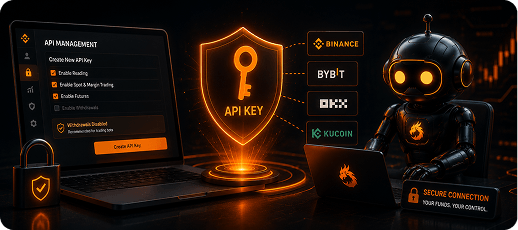
✅ Enable Reading
✅ Enable Spot Trading
✅ Enable Futures Trading (only if you plan to automate futures)
❌ Disable Withdrawals
Some traders also choose to restrict API access to specific IP addresses for an additional layer of protection.
Before activating your bot, double-check that withdrawal permissions remain disabled.
Bybit API Permissions Explained
The setup process on Bybit follows the same principle.
When creating API credentials, you’ll typically grant access to:
- Read account information
- Execute Spot trades
- Execute Futures trades (if required)
You should never enable permissions that allow asset transfers or withdrawals unless necessary for another service—which a trading bot doesn’t require.
Whether you’re trading Spot or Perpetual Futures, limiting permissions helps reduce unnecessary risk.
Common API Security Mistakes
Most API-related security issues don’t come from the exchange—they come from incorrect configuration.
Some of the most common mistakes include:
Enabling withdrawal permissions
This is by far the biggest mistake new users make.
A trading bot doesn’t need this permission.
Sharing API keys
Your API credentials should never be shared publicly or sent through unsecured channels.
Treat them the same way you would treat your banking password.
Using unknown trading bots
Not every automation platform follows the same security standards.
Before connecting any exchange account, research the company, review its documentation, and understand how API credentials are stored.
Forgetting to review permissions
If your trading strategy changes, revisit your API settings periodically.
Only enable the permissions you actively use.
Best Practices Before Connecting a Trading Bot
Before generating API keys, take a few minutes to complete this checklist.
✔ Enable two-factor authentication on your exchange account.
✔ Use unique, strong passwords.
✔ Disable withdrawal permissions.
✔ Limit API permissions to the minimum required.
✔ Store backup API credentials securely.
✔ Monitor your API activity regularly.
✔ Choose a trusted trading platform with transparent security practices.
These small precautions significantly reduce the likelihood of unauthorized account access while allowing you to benefit from automated trading.
Conclusion
API keys are one of the safest ways to automate cryptocurrency trading when configured correctly.
They give trading software limited access to your exchange account without transferring custody of your assets. As long as you disable withdrawal permissions, use a reputable platform, and follow basic security best practices, API-based automation provides a secure foundation for algorithmic trading.
If you’re ready to automate your strategy, FireDrake connects securely to supported exchanges using API keys while keeping your funds where they belong—in your own exchange account.